
Apple Accessory Setup Guide That Makes Sense
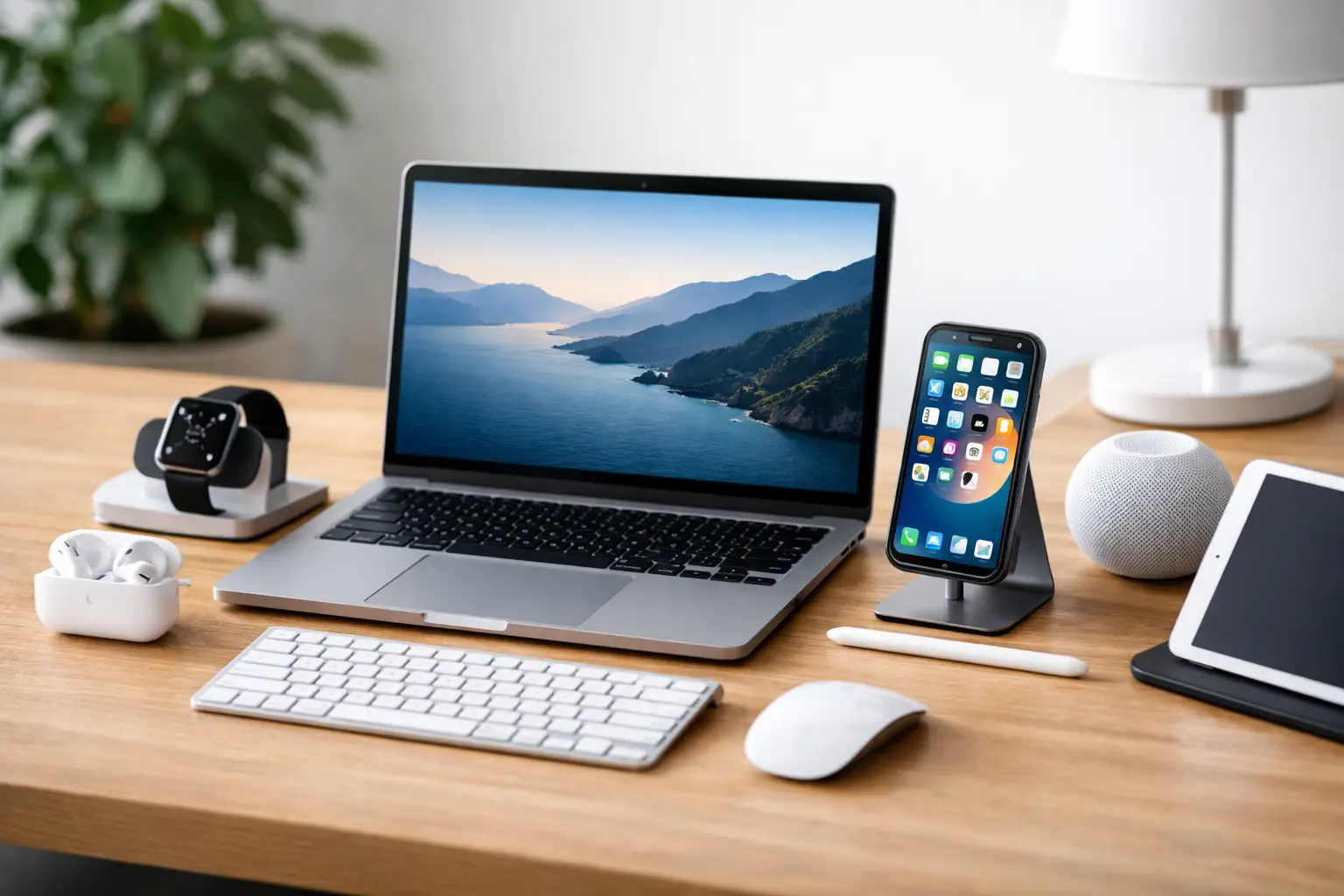
You can tell when an Apple setup is working well before you open a single app. Your AirPods connect without drama, your MagSafe charger lands exactly where it should, your iPad feels ready for work, and your desk or travel bag looks considered instead of chaotic. That is the real value of an apple accessory setup guide – not adding more gear, but making every device feel easier to live with.
The mistake most people make is buying accessories one by one, usually when a problem appears. A charger runs slow, so they add a new brick. Their Apple Pencil has nowhere to go, so it ends up loose in a tote. Their watch charger travels badly, and suddenly cables are everywhere. The better approach is to build around how you actually move through the day. At home, on the go, and at work all call for slightly different setups.
Start your apple accessory setup guide with your routine
Before you pair anything, decide what your setup needs to do. Some people want a polished desk with minimal visual clutter. Others want a lightweight travel kit that covers an iPhone, Apple Watch, and AirPods without taking over a carry-on. If you work between rooms or switch from office to coffee shop, modular accessories usually make more sense than a fixed dock.
Think in terms of zones. Your bedside setup should prioritize reliable overnight charging and low-light convenience. Your desk setup should support productivity, cable control, and fast top-ups. Your travel setup should be compact, durable, and simple enough to reset quickly in a hotel or airport lounge. Once you define those zones, accessory choices become much clearer.
It also helps to separate what feels premium from what actually performs well. A beautifully finished stand can elevate your space, but if it does not support stable charging or the right viewing angle, it becomes decor rather than utility. The best Apple accessory setups balance form with function.
Build around your core devices first
Most setups revolve around an iPhone, with AirPods and an Apple Watch close behind. Add an iPad, MacBook, or Apple Pencil, and the accessory stack grows fast. Start with the devices you use every day and only then add supporting pieces.
For iPhone, your essentials are usually a case, screen protection if you prefer it, and a dependable charging solution. A MagSafe-compatible case is worth considering if you want easier alignment with magnetic chargers, battery packs, wallets, or car mounts. Not every case with magnets performs equally well, though. Thicker designs or weaker magnets can reduce stability, especially in a car or on a vertical stand.
For AirPods, the setup is less about complexity and more about placement. Wireless charging is convenient, but convenience fades if the case is always buried under papers or tossed into the wrong pocket. A designated charging tray or compact stand can make a small accessory feel more integrated into your routine.
For Apple Watch, charging speed and placement matter more than many buyers expect. If you wear your watch overnight for sleep tracking, a bedside charger is less useful than a desk charger or evening charging station. If you only charge at night, a stand that supports Nightstand mode can make more sense.
If you use an iPad for notes, design, or content consumption, your setup should reflect that role. A keyboard case changes the device into a lightweight productivity tool. A folio keeps it slim and elegant. A stand can be the difference between occasional use and all-day use. There is no universal best option here – it depends on whether your iPad lives in your hands, on a desk, or in a bag.
Charging is where most setups either shine or fall apart
A refined setup usually comes down to charging that feels almost invisible. That means fewer redundant cables, fewer underpowered adapters, and fewer accessories competing for the same outlet.
If you charge multiple Apple devices daily, a multi-device charging station can clean up your space dramatically. It is especially useful on a nightstand or entry console where visual clutter builds fast. The trade-off is flexibility. A dedicated 3-in-1 charger looks polished and saves space, but it is not always ideal for travel, and it may only fit specific device positions or case thicknesses.
Single chargers, on the other hand, are easier to move and replace. They suit people who rotate devices or prefer a lighter setup. If you travel often, a compact fast charger with enough wattage for both phone and tablet can be more valuable than a larger all-in-one station.
Cable quality deserves more attention than it gets. Frayed ends, slow charging, and loose connectors make even expensive devices feel second-rate. Braided cables, well-finished connectors, and thoughtful cable lengths can instantly improve the daily experience. Short cables work well at a bedside or with a power bank. Longer cables are better for sofas, shared workspaces, or hotel rooms where outlets are never where you want them.
A cleaner desk changes how your devices feel
An elegant Apple setup is not only about the devices themselves. It is also about how the accessories support the room. A desktop stand can lift an iPhone into a more usable angle for calls, widgets, or glanceable notifications. An iPad stand can turn casual browsing into a more comfortable second-screen experience. Cable organizers, trays, and charging mats reduce friction in a way that feels surprisingly luxurious.
This is where aesthetics genuinely matter. If your accessories look cohesive, you are more likely to keep them in place and use them consistently. Matching finishes, neutral colors, and compact silhouettes create a calmer visual field. That might sound minor, but when your tech blends into a well-designed home or office, it feels less like clutter and more like part of your lifestyle.
That said, minimalism can go too far. A setup that looks immaculate but forces you to unplug everything every time you leave the house is not efficient. The best desk arrangement gives you quick access without visual noise.
The practical side of pairing and compatibility
No apple accessory setup guide is complete without a reality check on compatibility. Apple devices are famously easy to connect, but accessories still vary in fit, charging speed, magnet strength, and software behavior.
For Bluetooth accessories, start by updating your devices before first pairing. Many pairing issues come from outdated software, not the accessory itself. Keep Bluetooth on, place the accessory nearby, and follow the device prompt when available. If something does not connect immediately, a reset often solves the problem faster than repeated tapping.
With charging accessories, verify what standards they support rather than assuming every charger behaves the same. Magnetic alignment, wireless charging output, and fast-charging capability can differ a lot. A stand may look perfect in a product photo and still fail to charge efficiently through a bulky case. That does not always mean the accessory is poor quality – sometimes it is just the wrong match for your current setup.
For keyboard cases, mounts, and stands, measurements matter. Larger iPad models, camera bump size on newer iPhones, and case thickness can all affect the fit. If you want your setup to feel premium, precision matters.
Travel setups need a different kind of discipline
The most stylish home setup can become a mess the minute it goes into a weekender bag. Travel accessories should earn their place. This usually means one compact charger, one or two high-quality cables, a slim power bank if needed, and a protective pouch that keeps everything easy to find.
A folding charging stand can be a smart upgrade for frequent travelers because it gives you a familiar charging spot in unfamiliar rooms. A travel case for cables and small accessories also keeps more delicate items, like watch chargers or adapters, from getting bent or scratched.
Try not to build a travel kit from leftovers you no longer want on your desk. That is how unreliable chargers and worn cables sneak into your routine. Your travel setup should feel just as considered as your home setup, only more compact.
The best setup is the one you will keep using
There is always a temptation to overbuild – too many chargers, too many mounts, too many accessories solving problems you do not actually have. A more elevated approach is to edit carefully. Choose accessories that support your habits, complement your space, and reduce the small frictions that make devices feel harder to use than they should.
For some people, that means a sculptural charging station and a clean desk. For others, it means a slim case, a fast charger, and a travel pouch that keeps everything in order. If you shop with intention, even a simple setup can feel premium. That is usually where the best Apple experience starts – not with more, but with better choices that fit your life beautifully.













Leave a comment